

Why Does Bag Weight Drift? 5 Signals of Multihead Weigher Drift and the 5-Step Calibration
Why Does Bag Weight Drift? 5 Signals of Multihead Weigher Drift and the 5-Step Calibration
A 0.1g drift is tons of silent loss a year — master initialization and calibration to stay on spec
VFFS Machine Series — for operators, QC and floor supervisors
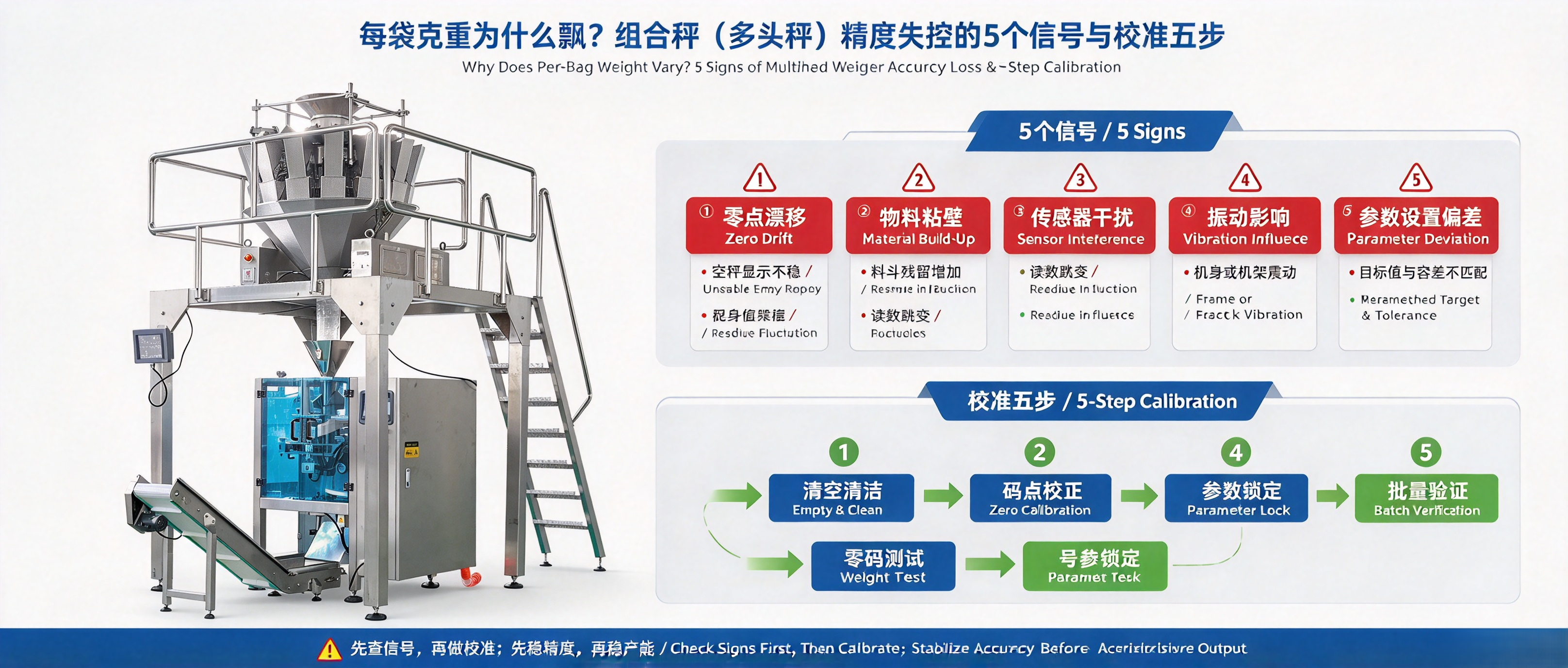

Cover: QC weighing a pouch — scale accuracy decides net weight
The multihead combination weigher is the scale of the VFFS heart — whether it weighs right decides net-weight compliance and whether every bag gives away product. Yet many floors just nudge amplitude when weight drifts, never doing proper initialization and calibration. This article gives you 5 drift signals and a 5-step calibration. Follow it and accuracy gets back on spec.
01 Why Bag Weight Drifts: Four Sources
• Sensor drift: weighing hoppers lose their zero over long use — the most common, check it first;
• Vibration disturbance: main/linear vibrator parameters were changed, feed is uneven and combination accuracy drops;
• Material change: a new batch with different density or particle size makes old parameters obsolete;
• Environment: floor vibration, air fluctuation, EMI — sensor readings become unstable.
✔ Iron rule: run 【Initialize】 every morning — auto-clear hoppers and zero sensors. It is a must-do written in the scale manual.
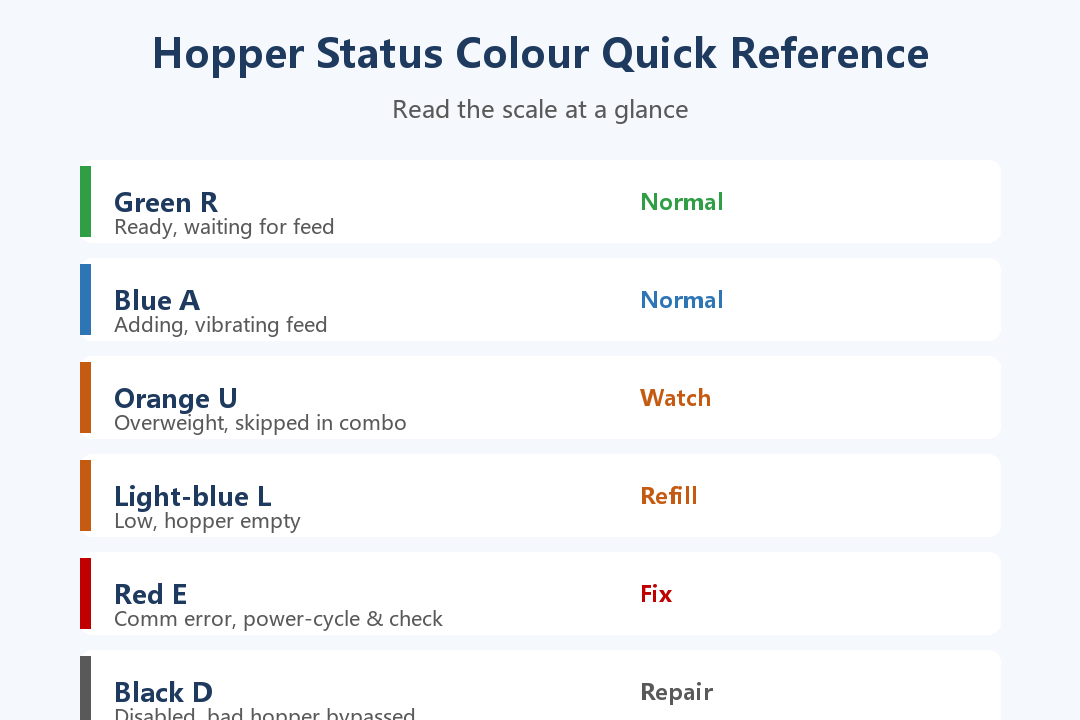

Fig. 1: Hopper status colour quick reference — read the scale at a glance (from the scale operation flow)
02 Five Drift Signals: Read the Hopper Colours
Every hopper on the touchscreen shows a colour state — the first alarm of accuracy problems:
• Orange U (overweight): the hopper is over limit and skipped — frequent U means unstable feeding;
• Light-blue L (low): hopper empty and waiting — vibrator feed parameters or supply lag;
• Red E (comm error): weighing data interrupted — power-cycle first, then check wiring;
• Black D (disabled): a bad hopper bypassed — the more D, the worse the combination, repair soon;
• Mean weight on screen drifting from target: no alarm needed — the most direct drift signal.
⚠ When orange and black dominate, the scale is working on one leg — every bag it makes risks overweight or giveaway.
03 Calibration in 5 Steps: From Initialization to Production
For inaccurate weighing or a new machine, follow the scale's calibration flow (calibration password 222222):
• Step 1 Initialize: 【Initialize】on the main screen — auto-clear hoppers, zero sensors;
• Step 2 Zero: clear hoppers, touch 【Zero】 on the empty hopper;
• Step 3 Full-scale: place a standard weight (≤2kg) at the hopper centre, touch 【Full-scale】 — the value must match the weight;
• Step 4 Sample test: enter 【Manual test】, check main/linear vibrators and hopper doors, sample error ≤0.1g passes;
• Step 5 Resume: touch 【Run】, fine-tune amplitude as needed, turn on AFC auto-tracking.
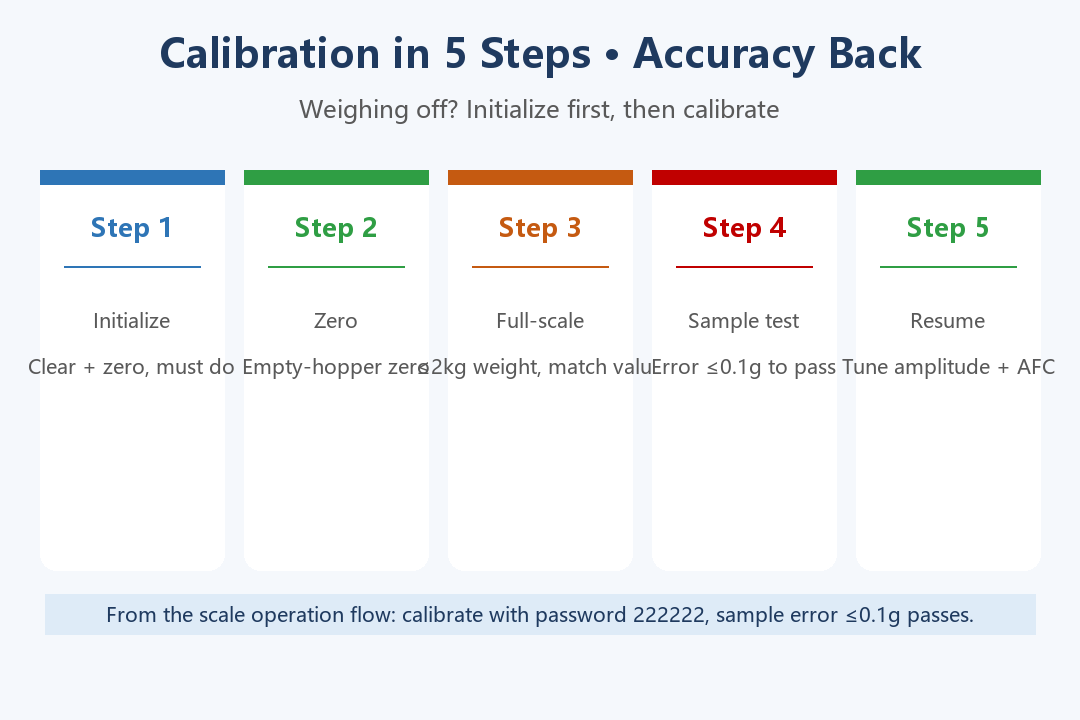

Fig. 2: Calibration in 5 steps — accuracy back (from the scale operation flow)
04 Daily Anti-Drift: Grow Accuracy into Habits
• Every morning: 【Initialize】 to clear and zero, then scan the hopper colours;
• Material/product change: enter 【Parameter setting】(password 111111), fill product name, target weight, tolerance, speed, then 【Download parameters】;
• Formula backup: parameters export to a USB drive — formulas survive staff changes and machine changes;
• Shutdown care: short stops use 【Clean】 to open all hoppers; end of shift use 【Empty】; lubricate hopper shafts weekly, clean cabinet dust every 2 months.
Table 1. Common scale faults and quick fixes (from the scale operation flow)
|
Fault |
Quick Fix (from the scale operation flow) |
|
Weighing error |
Initialize, then re-calibrate (zero + full-scale) |
|
Feed too slow/fast |
Adjust main/linear amplitude, enable AFC |
|
Hopper door stuck |
Manual test: check photo-eye, adjust motor params |
|
Red E comm error |
Power-cycle, check wiring |
|
System freeze |
Press E-stop, power off 3 min, restart |
Final Thoughts
Weight drift is not magic — it is a skipped process. One initialization a day, one status scan a week, calibrate on every changeover, release only when sample error ≤0.1g. Four habits hold the spec, and every bag ships honest.
Reply with the keyword “weigher” to get the Combination Scale Operation & Calibration Quick Card (printable). Stuck on calibration? Photograph the screen parameters and send them — the source factory will check item by item.
Follow the account — more practical content is on the way.


