

Machine Suddenly Dead? Check These 3 Lockouts Before Calling Service
Machine Suddenly Dead? Don't Call Service Yet
Check These 3 Lockouts First - Save the Service Fee
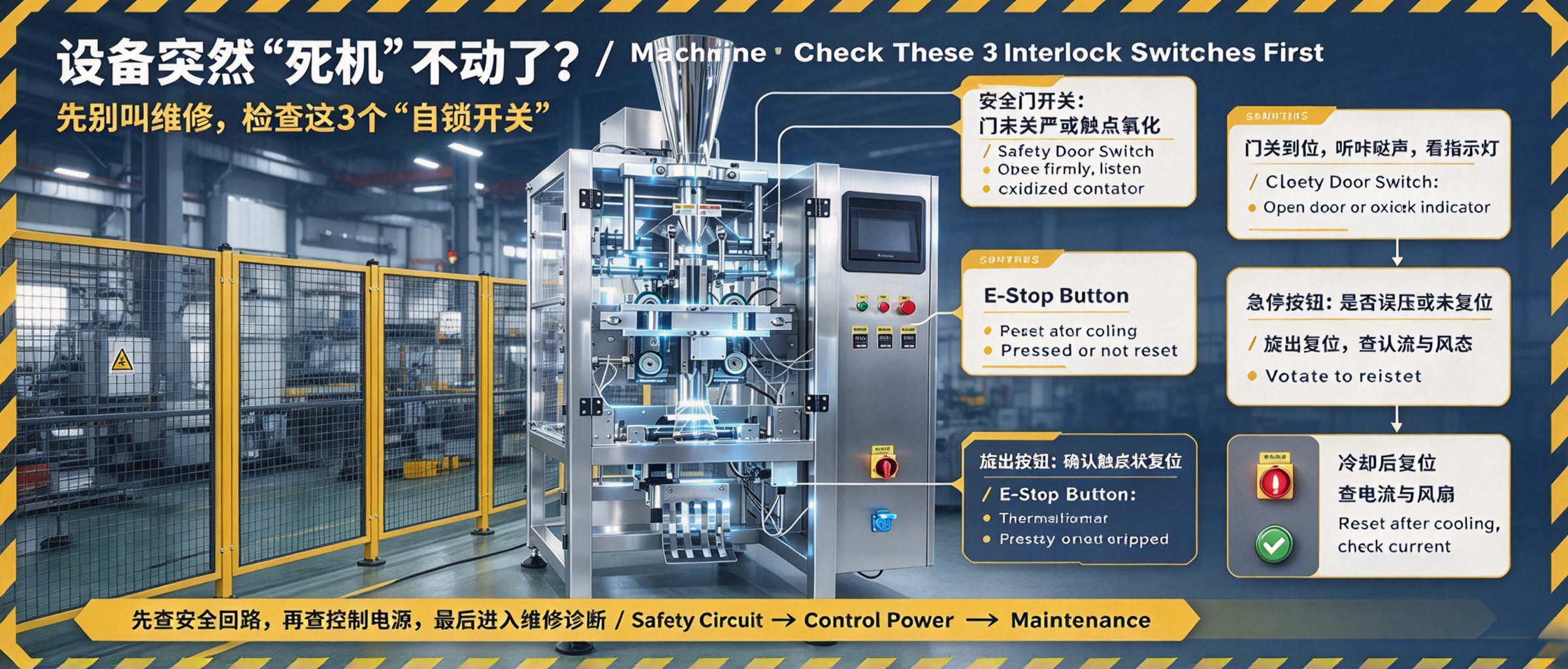

Cover: start, stop and e-stop on the panel - start here when the machine is dead
Mid-run the machine goes completely dead and START does nothing. A technician visit costs a call-out fee. But more than half of "deaths" are not breakages - a lockout was tripped that you can reset in 30 seconds.
01 First Lockout: The E-Stop Was Bumped
“E-stop: press it and the machine stops immediately and latches; to release, simply turn it a little to the right.”
— VFFS manual - control panel
The red mushroom button sticks out and an elbow can bump it during shift change or material handling. Once pressed it latches, so the machine will not move at all.
✔ Is the E-stop pushed in? Twist it a little to pop it out, then press START.
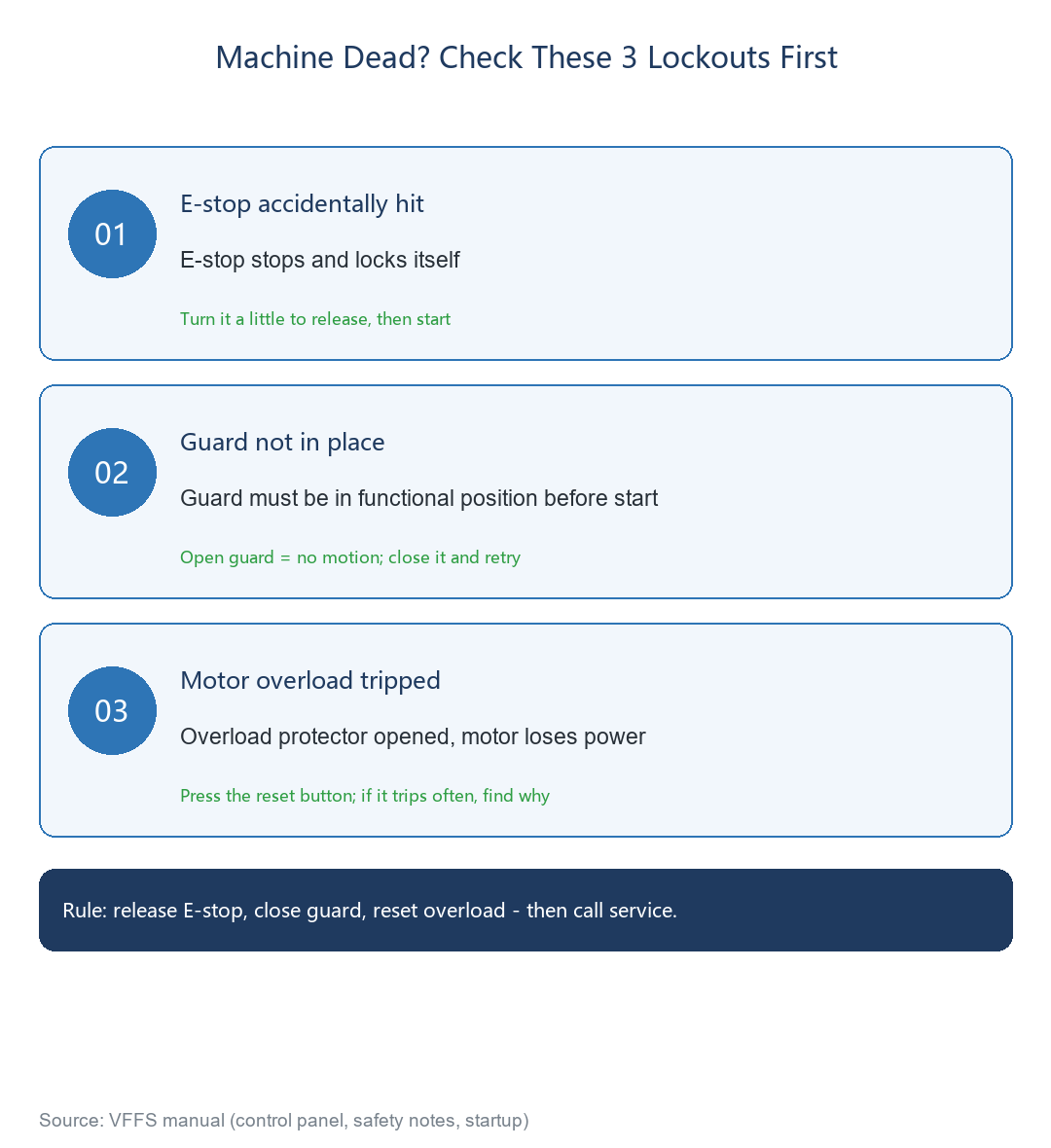

Fig.1: check these 3 lockouts first when the machine is dead
02 Second Lockout: Guard Not in Place
“Before every start, the protective devices must be in their functional position!”
— VFFS manual - safety notes
When a guard door or cover is opened, its safety switch cuts out and the machine refuses to start. After cleaning jaws or doing a quick repair, a door left open does exactly this.
• Close every guard door and cover firmly until it clicks;
• Press START again.
03 Third Lockout: Motor Overload Tripped
If the motor stalled or jammed under overload, the protector trips and cuts motor power to protect it - again the whole machine goes dead.
• Find the reset button on the overload protector in the cabinet and press it;
• Start the machine again;
⚠ If it trips again immediately on start, there is a real jam or electrical fault - do not reset it repeatedly; call service.
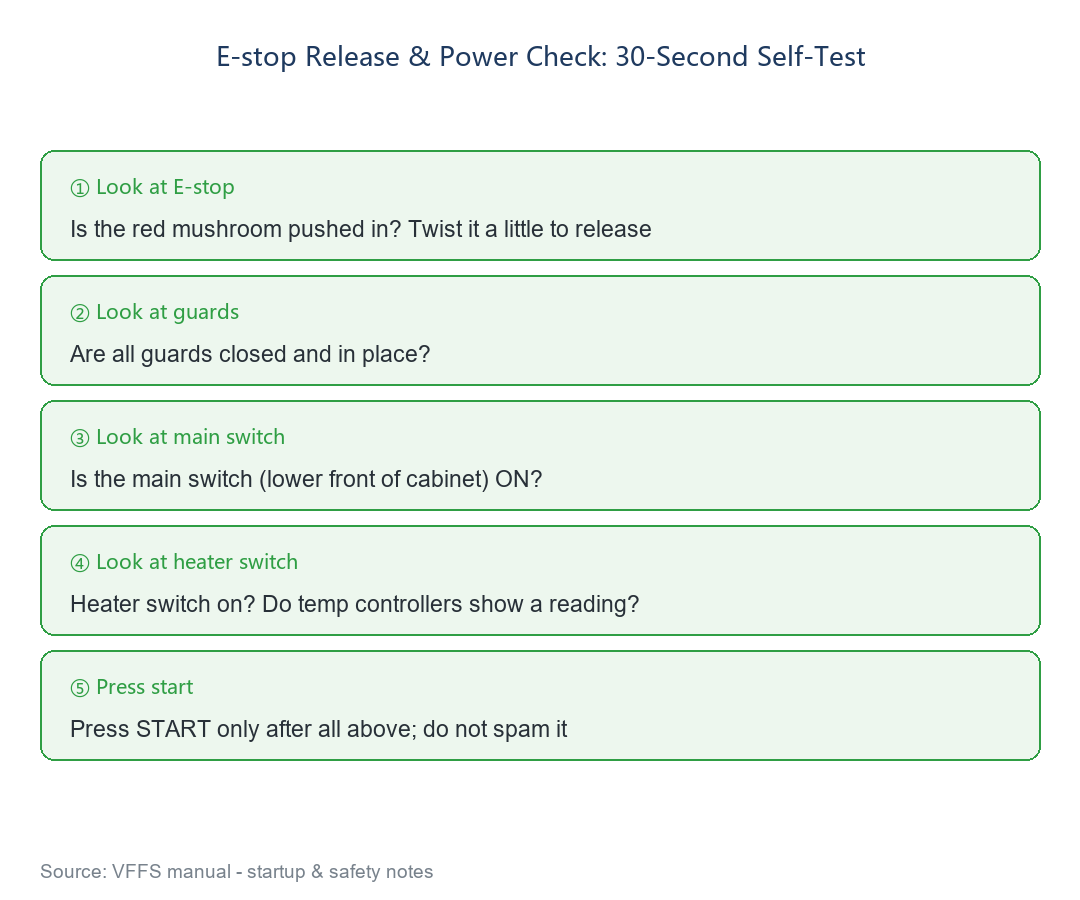

Fig.2: 30-second self-test order
04 Do Not Forget the Main Power
If all three lockouts are fine, check the main power switch at the lower front of the cabinet is ON, the heater switch is on, and the temp controllers show a reading.
Final Thoughts
A "dead" machine: twist the E-stop, close the guards, press overload reset - if it still does not move, then call service.
Still dead after these steps? Send us photos of the panel and the reset buttons in the cabinet; we will guide the diagnosis. Reply "manual" to download the manual PDF.


