

Why Does Your Registration Eye Keep Alarming? The Print Design May Be at Fault
The Unspoken Rules of Registration-Mark Printing
Why Does Your Registration Eye Keep Alarming? The Print Design May Be at Fault

Cover: get the print design right and the eye stays steady
A new print design goes on the machine, and the screen keeps flashing “registration eye fault” with an automatic stop. Sensor position untouched, sensitivity unadjusted, bag length correct — the problem is in the design itself.
1. What Does the Manual Say? Two Hard Rules
“The film must be flat with no wavy edges; the 10mm edge zone must be clean with no patterns or lettering, and the registration mark must contrast clearly with the base color.”
— Vertical packaging machine instruction manual — film parameters
Two keywords: clear contrast, clean base color. These are hard rules, not suggestions.
How does the eye work? It scans the light-dark contrast between the registration mark and the base color to locate the cut position. When the design makes the eye “unable to see,” it can only alarm and stop.
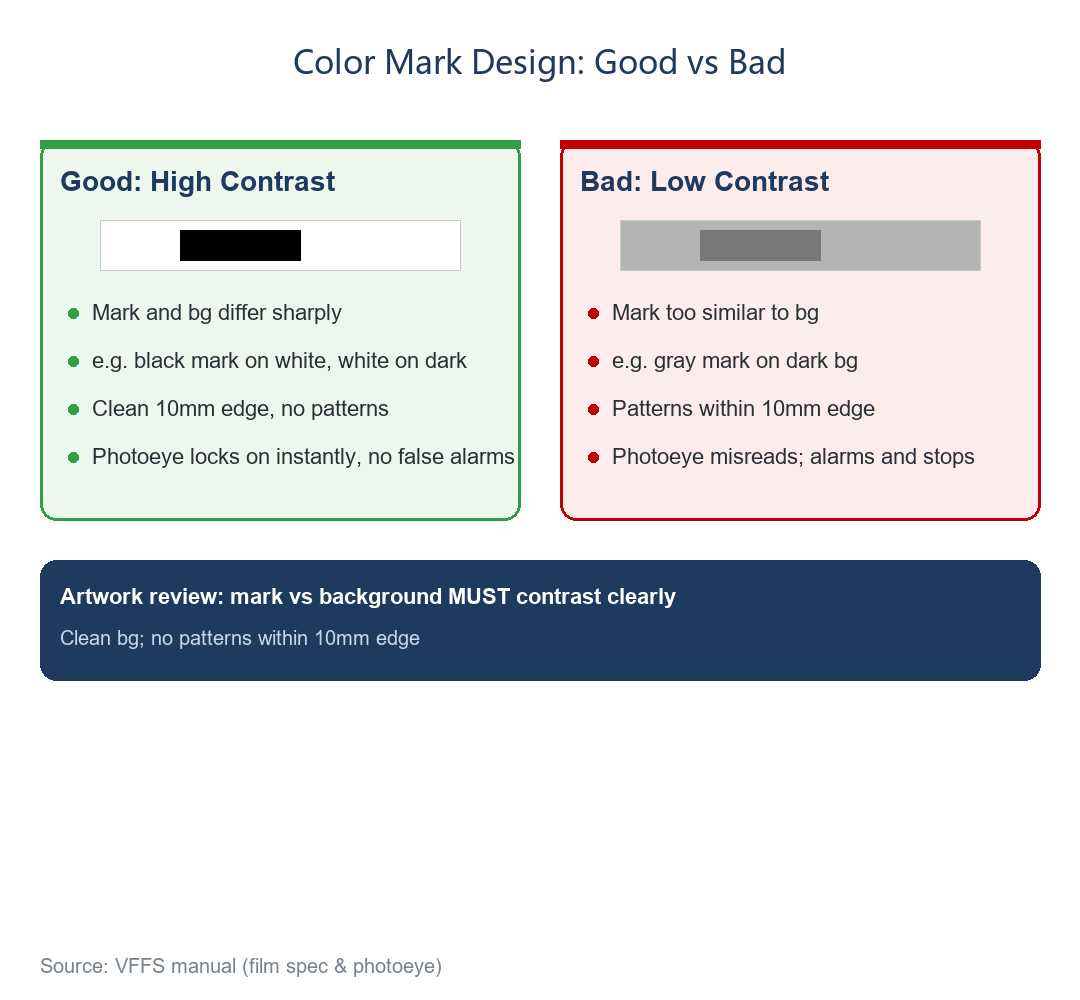

Fig. 1: good vs bad registration mark (from the manual, film parameters)
2. Food-Factory Print Design: 5 Must-Check Points
Table 1. 5-point print design checklist for food factories
|
Check |
Requirement |
Counter-example |
|
Mark vs base contrast |
White base/black mark, or dark base/light mark |
Dark-gray mark on dark base = eye cannot tell |
|
10mm edge base color |
Clean, no patterns/lettering |
Logo text at edge = eye misreads |
|
Mark position |
Inside the eye scan zone of the film path |
Mark off the scan zone = not detected |
|
Mark width & spacing |
Uniform width; spacing = bag length |
Uneven spacing = bag length drifts |
|
Similar color blocks |
Avoid large same-color areas near the mark |
Big same-color block beside mark = contrast diluted |
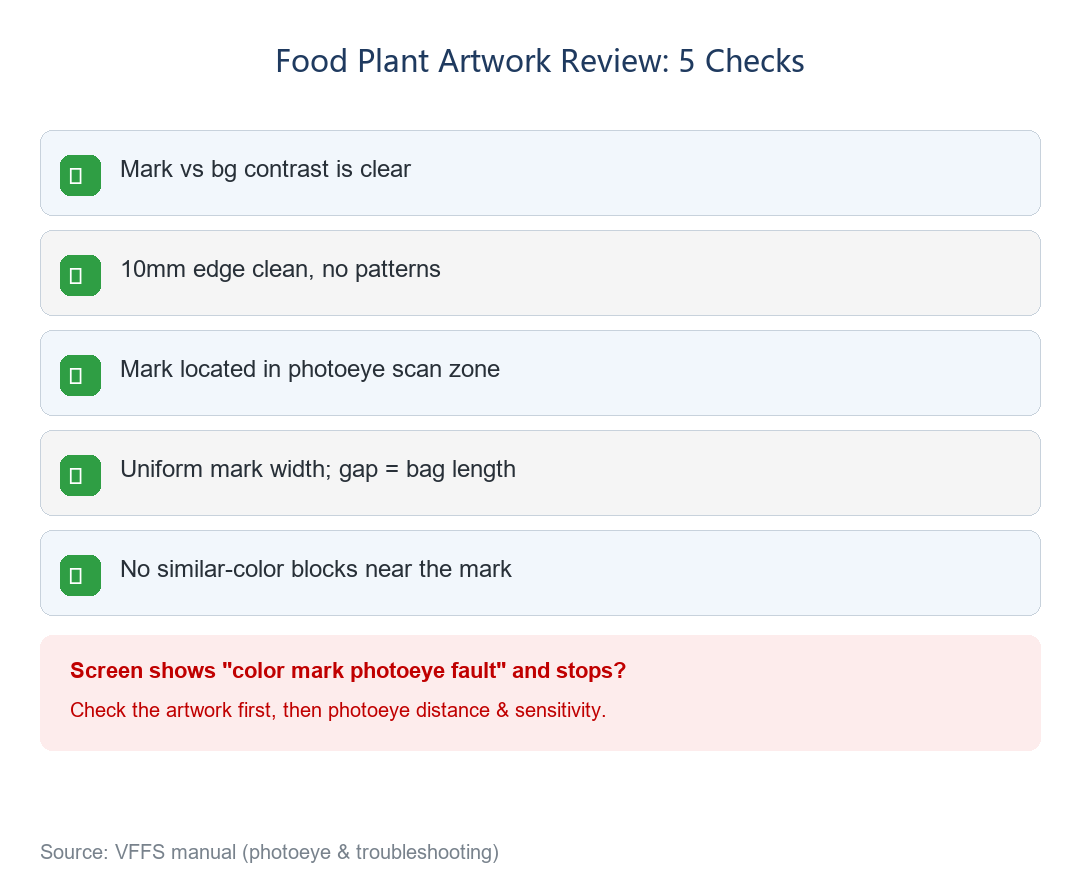

Fig. 2: 5-point print design checklist (from the manual, registration-eye tracking & troubleshooting)
✔ Before finalizing the design, run a sample roll on the machine for a trial scan — far more reliable than checking on screen.
3. When It Alarms: Troubleshoot in Order
⚠ If no registration signal is detected, the screen shows “registration eye fault” and stops automatically. Do NOT reach for the sensitivity knob first!
The manual’s troubleshooting order — keep the sequence:
• First: check the mark itself — does the design break the rules (5-point check)?
• Second: adjust the distance between the eye and the film;
• Third: only then touch the sensitivity knob.
✔ Verification: when the mark is aligned with the eye, its light goes out; move it away and the light comes on. One glance tells you whether it works.
4. Two Environmental Traps
① Strong light: the manual warns that installing the machine in direct sunlight or strong light makes the eye fail.
② Wavy film: a wavy roll makes the mark drift near and far at the scanning instant, confusing the eye. Check roll flatness before blaming the sensor.
Final Thoughts
Eye keeps alarming? Don’t blame the machine first — pull out the design and run it through the 5-point check. Often, a revised mark color solves everything.
Next article: thermal coder ribbon snapped? Don’t rush to replace it — 3 adjustment tips that save you a roll of ribbon.
Call to Action & Series Note
Not sure about your design? Send us your registration-mark design — our engineers will review it. Or reply with the keyword “manual” to download the Vertical Packaging Machine Instruction Manual (PDF).
This is Article 16 of the Vertical Packaging Machine Encyclopedia series. Subscribe to read the full 30-article collection.


